4. Compliance (Demand Processing)
The Compliance screen tracks the DoFE processing dates for an order — the milestones that happen as the demand moves through the system. Which dates you record depends on whether the order is a lot order or a work-permit order, so the form changes itself accordingly.
Not the same as the candidate compliance module
This is demand-level processing (per Job Order). It is separate from the candidate compliance (orientation / insurance / SSF / NOC), which is tracked per worker elsewhere.
Open it
- Go to Job Orders → (an order's ⋯ menu) → Workflow, or open
/job/orders/compliancedirectly. - Pick an order from the Approved Job Order dropdown. The fields appear underneath.
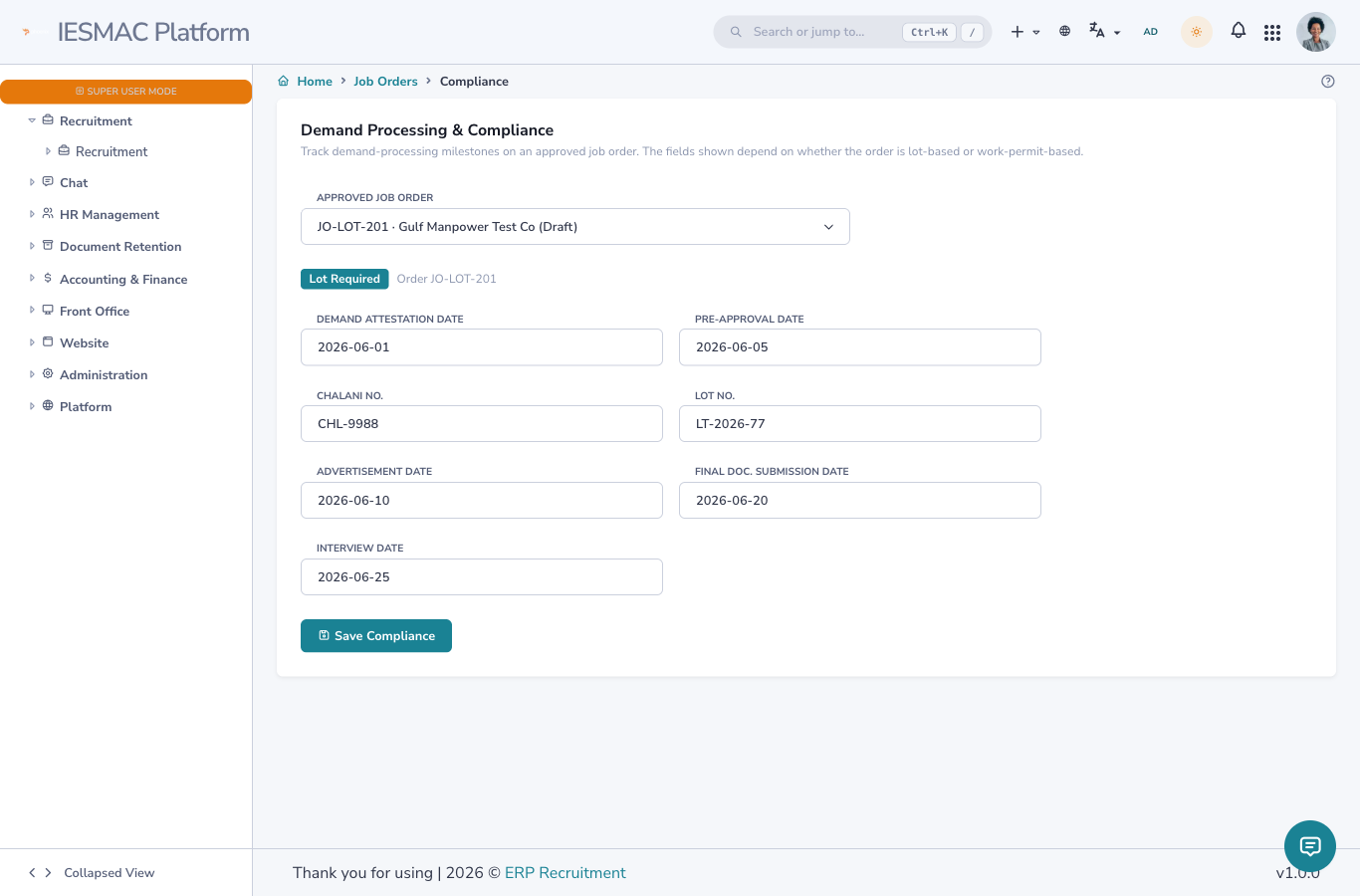
The two field sets
A badge at the top tells you which set you'll see — Lot Required or Work Permit / No Lot.
Case A — Lot order
| Field | What it records |
|---|---|
| Demand Attestation Date | Embassy attestation of the demand. |
| Pre-Approval Date | DoFE purba syukriti date. |
| Chalani No. | DoFE chalani number. |
| Lot No. | The LT number. |
| Advertisement Date | Newspaper advertisement publication date. |
| Final Doc. Submission Date | Final documents submitted to DoFE. |
| Interview Date | Candidate interview date. |
Case B — Work-permit order (no lot)
| Field | What it records |
|---|---|
| Document Collection Last Date | Deadline to collect applicants' documents. |
| Interview Date | Candidate interview date. |
Saving
Fill the dates (each is an AD/BS date picker) and click Save Compliance. Values are stored on the order and shown again when you re-open the screen, so you can fill them in over time as each milestone is reached.
Done! See the end-to-end walkthrough: Place a Job Order, start to finish →