Raise & handle a grievance
The grievance desk lets staff raise workplace complaints and lets officers work them through a clear lifecycle — acknowledge → action → resolve — with a full history kept on every case.
Raise a grievance (employee)
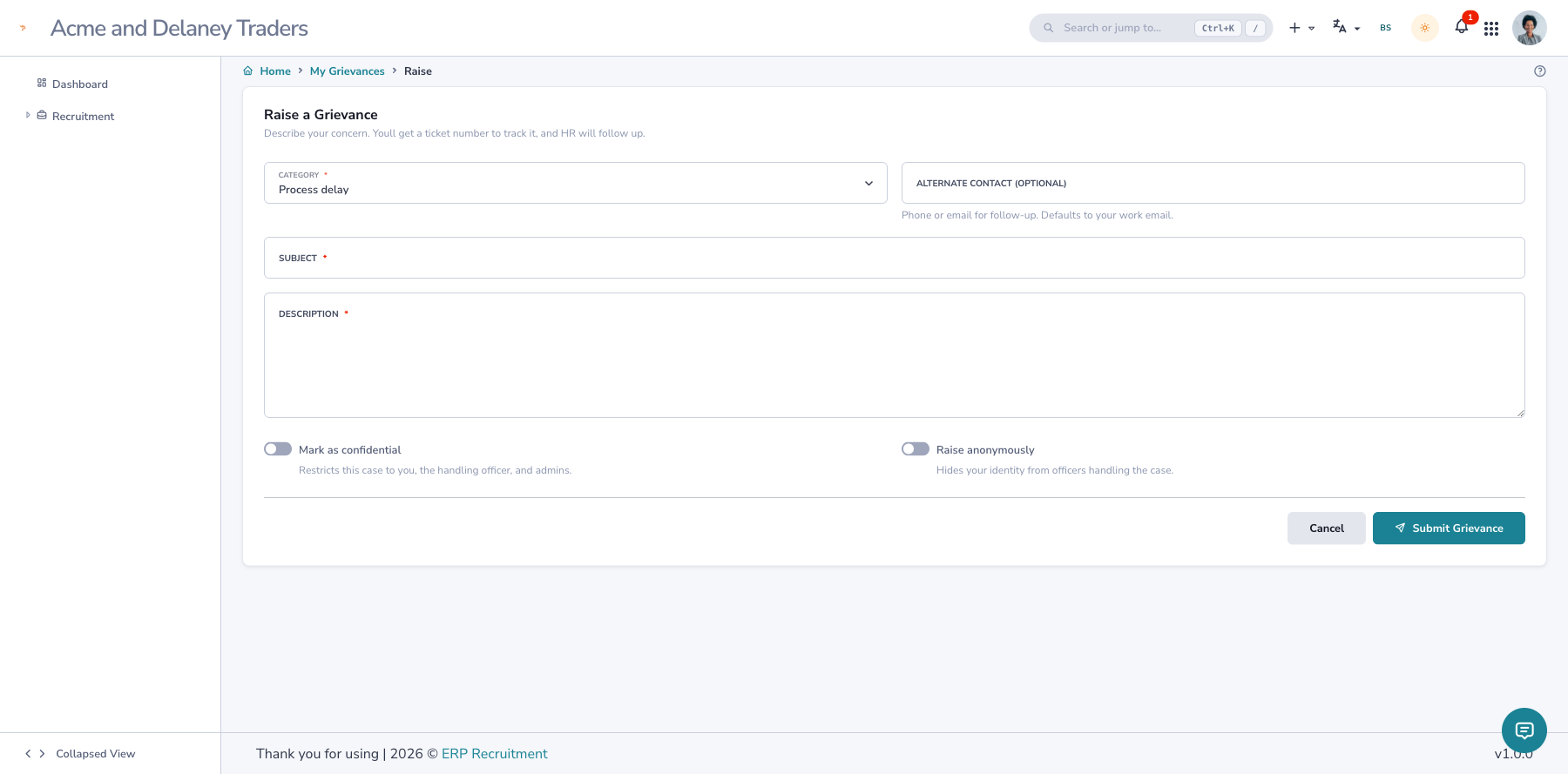
- Open HR → Grievances and click Raise a grievance (
/hr/grievances/new). - Pick a Category (e.g. Payroll, Harassment), write a Subject and Description.
- Choose options if needed:
- Confidential — restricts the case to the named parties + admins.
- Anonymous — hides your identity from everyone except admins.
- Click Submit. You get a ticket number (e.g.
GRV-007/2081-82) and can track progress from your grievance list.
Auto-routing
If your administrator has set a routing rule (e.g. Payroll → HR department), the case is assigned to the right department automatically and that team is notified — you don't have to chase anyone.
Handle a grievance (officer)
Officers see every case in the Queue (/hr/grievances/queue) with status, priority and SLA filters.
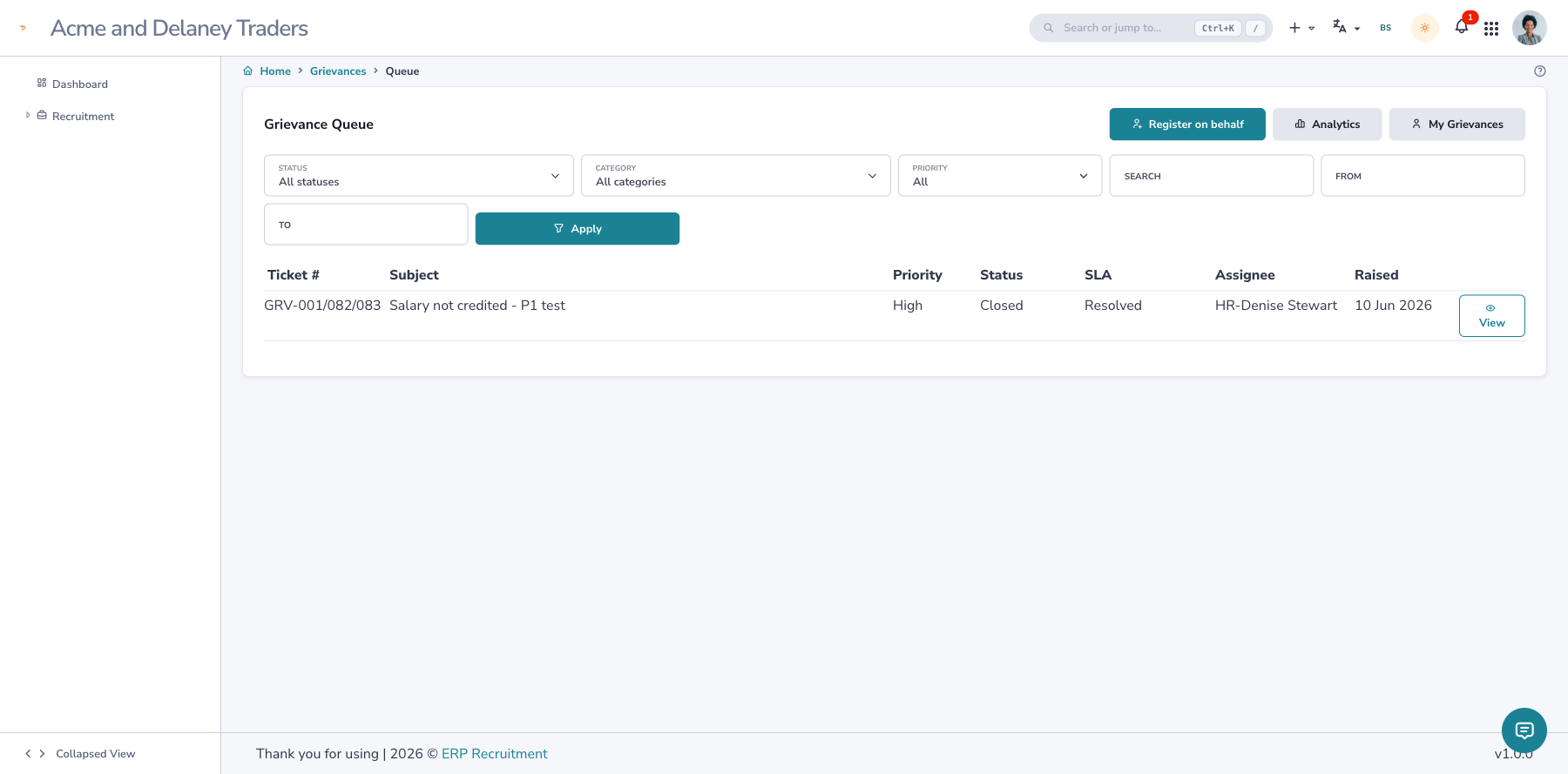
- Open a case. If it's assigned to your department, click Acknowledge — this starts work and moves the case to In Progress. The case is now yours; other departments are locked out until it's handed on.
- Use the work area to:
- Log communication — record calls / follow-ups (internal notes or messages to the complainant).
- Assign — hand the case to another department or officer (a reason is required); they then re-acknowledge.
- Set priority and watch the SLA indicator (On track / Overdue / Breached).
- When it's fixed, choose Move to → Resolved, fill the Resolution Decision (required), and submit. The case auto-closes and locks for audit.
The complainant is kept in the loop
Acknowledging, resolving, and any message-to-complainant communication notify the complainant automatically. Once resolved, they can rate their satisfaction (1–5).
Reopen a closed case
Only an administrator can reopen a closed/resolved case (Reopen, with a reason). It returns to the operational loop and needs a fresh acknowledgement.
Track anonymously (external / no login)
For a case registered on someone's behalf, the officer can issue a one-time tracking token. The person
tracks status + outcome at /grievance/track using the ticket number + token — no account needed.